
TCG Card Scanner TCG Collector
Identifier StudioSports
4.71.45K Reviews
- Version
- 1.5.0
- Installs
- 1.00M
- Age Rating
- Everyone
Screenshots
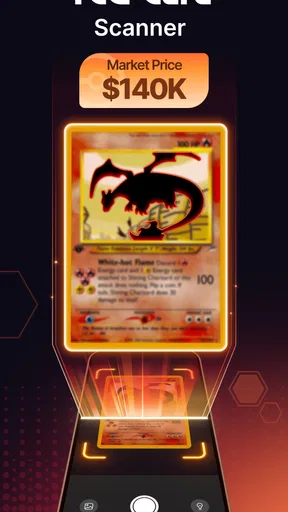
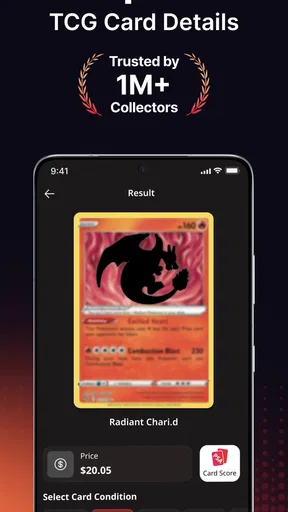
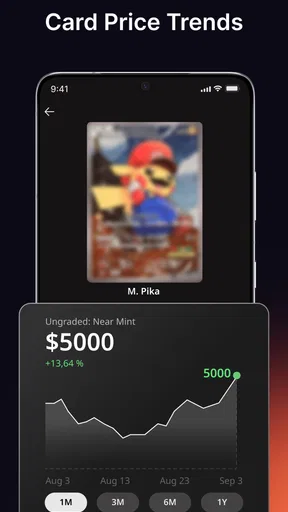
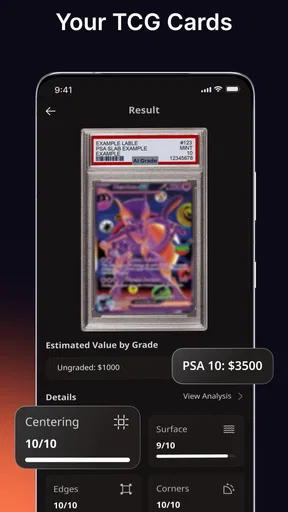
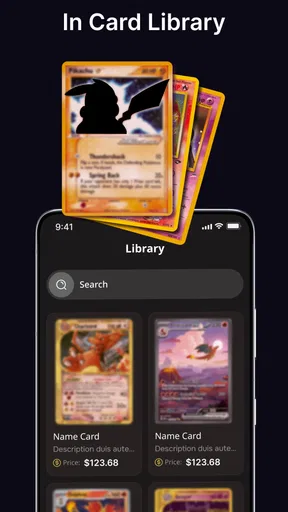
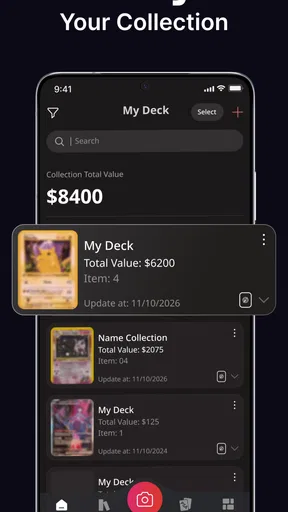
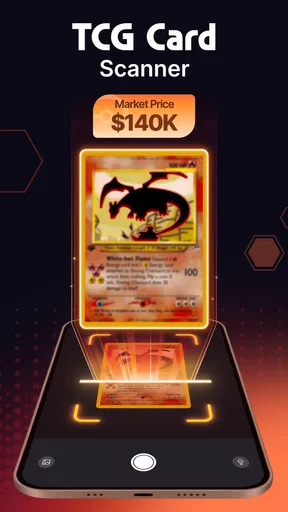
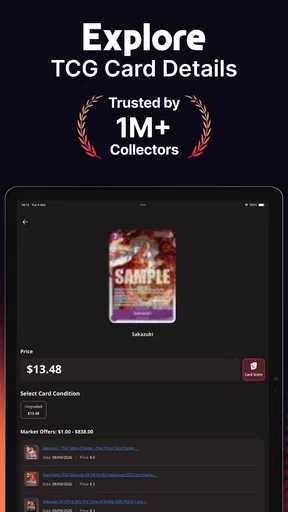
Our Review of TCG Card Scanner TCG Collector
 Analysis by Appyee
I judge a card-collection app by what happens when I am standing at a trade table, sorting a pile after a busy evening, or trying to remember whether I already own a card. TCG Card Scanner TCG Collector is built around that practical side of the hobby: identifying cards, keeping a digital record, and making a collection easier to inspect. Its focus is useful, though the experience is only as dependable as the scan and the information attached to each result.
Readability and navigation for a growing collection
The core idea is easy to understand: use a phone camera to identify a card, then keep track of it in a collection. That is a more approachable starting point than opening a spreadsheet and deciding how to structure columns for set, rarity, condition, and notes. I would still treat the digital record as a working catalog rather than a perfect replacement for checking the physical card, especially when similar versions look alike.
The app is a sports-focused collecting tool from Identifier Studio. It is free to install, has an Everyone age rating, and its current version is 1.1.4. It has a 4.6 average from around 21,000 ratings, with over 500,000 installs. Those figures suggest a well-used niche utility, but they do not tell me whether its catalog covers every game or every printing a particular collector owns. If your collection is unusual, I would test a few representative cards before committing to a full cataloging session.
For a clear workflow, I would scan in small batches and check each match before moving on. That sounds slower than waving a camera over a whole stack, but it prevents a mistaken identification from quietly becoming part of your inventory. Card art, language, edition, and condition can all matter to collectors; a useful scan is a starting point for a record, not proof that every detail is right.
Motor and sensory considerations in everyday use
A camera-based workflow can reduce typing, which is helpful if entering card names one by one is tiring or awkward. It also shifts the task to holding a card steady, positioning a phone, and reviewing the result. Those actions may be comfortable for some people and frustrating for others, particularly during a long sorting session. I would use a stand or a stable surface when possible and work through a manageable stack rather than trying to scan everything at once.
Lighting and visual contrast are practical factors too. A reflective sleeve can produce glare, and busy artwork may make it harder to line up a card consistently. I would remove a card from a sleeve only when it is safe to do so; otherwise, angling the phone or moving to softer, even light is a sensible first adjustment. These small habits can improve the process without assuming the app has a particular accessibility setting.
For someone who finds dense screens difficult, the most comfortable approach is likely to keep the task focused: scan a few cards, confirm the records, then stop. Cataloging is not a race. A quick break is often better than making corrections later, especially when a collection includes several versions of the same artwork.
Access in shops, at home, and around other collectors
The app’s strongest everyday use is having a reference close at hand. At a local trade meet, for example, I might scan a card I do not recognize, check whether I already have it, and avoid agreeing to a swap before I have looked at my own list. At home, the same record can help me sort a newly opened stack into cards I want to keep, trade, or investigate further. The advantage is less about turning every card into a financial asset and more about reducing avoidable uncertainty.
There is a trade-off in public settings: scanning takes attention and a reasonably steady camera view. If a trade is moving quickly, I would not let an app result replace a direct inspection of the card or a conversation about condition. A scan can help identify what you are looking at, while the physical copy still determines whether its corners, surface, and edges suit your expectations.
At home, a good workflow is to catalog a small group by one purpose at a time. I would start with cards I may trade, then add the rest of a set later. This makes it easier to notice duplicates and correct a wrong match before the collection grows. It also avoids the common trap of spending an evening scanning everything, only to discover that the records need substantial cleanup.
Where it fits—and where it may not
Compared with a spreadsheet, a scanner-led collection app can save repeated typing and make card identification feel more direct. A spreadsheet, however, gives a careful collector more control over custom fields, unusual editions, and personal notes. Compared with searching the web card by card, scanning is convenient when the image is clear, while a manual search may be better when you need to compare several printings or verify a detail the camera does not settle.
I would choose this app if I wanted a phone-based catalog and a faster way to begin sorting a collection. I would hesitate if my main need were highly detailed condition grading, a custom inventory system, or a definitive price for a specific copy. A market estimate should be treated as a reference, not a promise of what a buyer will pay: condition, demand, timing, and the exact version can change the real value. Before using a number to settle a trade, I would compare the physical card and the relevant version carefully.
It is also worth considering the cost boundary. The app is free, with in-app purchases ranging from $3.99 to $39.99 per item. I would begin with the free experience and decide whether any paid option solves a problem I actually have, rather than paying simply because I have a large collection. For a casual collector with a small box of cards, a simple list may be enough; for someone repeatedly sorting, trading, or checking duplicates, scanning can earn its place.
Remaining barriers and practical expectations
The camera is both the app’s main convenience and its main point of friction. A bent card, sleeve glare, uneven lighting, or a very similar alternate printing can make identification less straightforward. When a result looks questionable, I would not keep scanning blindly: compare the artwork and identifying details, then correct the record before adding more cards. That small pause is especially worthwhile for valuable cards, where a plausible but incorrect match can mislead later decisions.
Cataloging also takes time even when scanning works well. You still need to decide what belongs in the collection, whether duplicates should be recorded separately, and how to handle cards you are only considering for a trade. I find it helpful to keep a consistent rule—for example, record owned cards first and keep wanted cards separate—so the collection remains useful rather than becoming a mixed list of possessions and plans.
One question collectors often have is whether a scan alone is enough to establish a card’s value. I would say no: use any displayed valuation as a prompt for further checking, not as a guaranteed sale price. Another practical question is whether the app suits someone with only a handful of cards. It can, but the time saved may be modest; a short handwritten or digital list could be simpler. If your collection is large enough that you regularly forget what you own, the cataloging workflow becomes more compelling.
For device compatibility, the listed minimum operating system is version 10. I would check that requirement before planning a scanning session on an older phone, and I would make sure the camera can focus reliably at close range. That is a basic but useful check: a scanner cannot help much if the device struggles to capture the card clearly.
A collector’s tool, with sensible limits
If you're like me and have a collection of trading cards that rivals a small library, then the TCG Card Scanner TCG Collector app might just be your new best friend. I recently had the chance to dig into this app, and let me tell you, it’s a game-changer for anyone who wants to organize their collection without the hassle of spreadsheets or manual data entry.
Getting Started with the collector app
First things first, setting up the app is as easy as pie. Once you download it, you're greeted with a sleek interface that's both intuitive and responsive. The app guides you through the initial setup, which involves creating an account and setting your preferences. Whether you're a newbie or a seasoned collector, the seamless onboarding process is a breath of fresh air.
Scanning and Cataloging Your Collection
This is where the magic happens. Using your phone’s camera, the app allows you to scan your cards with impressive accuracy. I was surprised at how quickly it recognized even the most obscure cards in my collection. It feels like having a personal assistant who knows every card ever printed. The app effortlessly catalogs cards, adding them to your digital collection with all the necessary details like set, rarity, and condition.
The scanning feature is particularly nifty. You can scan multiple cards in succession, and the app doesn’t miss a beat. No more squinting at tiny print or trying to remember which binder you put that rare card in. Your collection is now literally at your fingertips.
Organize Like a Pro
Once scanned, organizing your cards is a breeze. The app offers various ways to sort and categorize your collection. Whether you want to keep track of cards by set, rarity, or value, the app has got you covered. I personally love the way it lets you create custom lists, making it easy to manage trades or keep tabs on cards you’re hunting for.
Another feature I found incredibly useful is the app’s integration with pricing data. It provides real-time market values, allowing you to see the worth of your collection at a glance. This feature is perfect for those who are in it for both the love of the game and the investment potential.
Sharing and Community Features
One of the more social aspects of the app is its community integration. You can share your collection with friends or fellow collectors, making it easy to trade or just show off your prized possessions. The app also offers a marketplace feature, which I found to be a great way to discover new cards and interact with the community.
The app fosters a sense of community among collectors, making it more than just a tool—it's a social platform.
Wrapping Up
All in all, the app is a must-have for any trading card enthusiast. Its robust features, combined with an easy-to-use interface, make managing your collection not only easier but also more enjoyable. Whether you're a casual collector or a hardcore enthusiast, this app is sure to enhance your collecting experience.
In a world where organization can be overwhelming, having a tool that simplifies and enriches your hobby is invaluable. So, if you haven't already, give the app a try and take your collection to the next level.
My inclusive verdict
I see the most value here for collectors who want to reduce manual entry, keep a useful inventory on their phone, and make faster decisions while sorting or trading. The camera-based approach may also help people who prefer visual identification to typing card names. But it is not equally convenient in every setting: shaky hands, glare, low light, or a fast-moving trade can turn scanning into extra work, and the app should not replace careful inspection of a card or independent price checking.
For me, the fairest recommendation is to try it with a small, varied batch first: a familiar card, a duplicate, and one you find harder to identify. That reveals whether the scanning workflow suits your phone and your collection before you invest an evening cataloging everything. If it does, the app can make a sprawling hobby feel more manageable; if your needs center on detailed custom records or meticulous valuation, a spreadsheet and direct reference searches may remain the better tools.
Privacy and Permissions
See what permissions an app requests and how it handles your data.
- Photos/Media/Files
- read the contents of your USB storage
- Storage
- read the contents of your USB storage
- Camera
- take pictures and videos
- Other
- view network connections, full network access, run at startup, prevent device from sleeping, Google Play license check
Verdict
Strengths of TCG Card Scanner TCG Collector
- Accurate card recognition technology.
- Supports multiple card game types.
- Fast scanning with minimal wait time.
- User-friendly interface for easy navigation.
- Regular updates with new features.
Limitations of TCG Card Scanner TCG Collector
- Occasional connectivity issues.
- Limited offline functionality.
- High battery consumption.
- Some features locked behind paywall.
- Requires stable internet for best use.
Other Releases by Identifier Studio
View All
AI Interior Design Home Decor
House & Home4.3

Coin Identifier Coin Scanner
Business4.3

Jewelry Identifier Gem Scanner
Business4.4

Sports Card Value Identifier
Sports4.5
Similar Picks in This Category
View All
BeSoccer: Soccer Live Score
BeSoccer apps4.3

Cricbuzz - Live Cricket Scores
Cricbuzz.com3.7

NFL
NFL Enterprises LLC2.4

Da Fit
MO YOUNG LIMITED3.6

ESPN
Disney4.5

LiveScore: Live Sports Scores
LiveScore Limited4.5
Frequently Asked Questions
What is TCG Card Scanner TCG Collector and how does it work?
TCG Card Scanner TCG Collector is a mobile application designed to help trading card game enthusiasts manage their collections efficiently. The app uses your device’s camera to scan and recognize cards, automatically cataloging them into your collection. It supports multiple TCGs, providing an easy way to track your inventory and keep it organized.
Does TCG Card Scanner support all trading card games?
While TCG Card Scanner TCG Collector supports a wide range of popular trading card games, it may not cover every game available. The app frequently updates its database to include new sets and games, so it’s best to check the app’s supported games list to see if your favorite TCG is included before downloading.
Is TCG Card Scanner TCG Collector free to use?
TCG Card Scanner TCG Collector offers a free version with basic features, allowing users to scan and catalog a limited number of cards. For advanced features such as unlimited card scans, detailed collection analytics, and ad-free usage, users can opt for a premium subscription model available within the app.
How accurate is the card scanning feature?
The card scanning feature in TCG Card Scanner TCG Collector is highly accurate, utilizing advanced image recognition technology. However, the accuracy can vary based on the camera quality and lighting conditions. It’s recommended to scan cards in a well-lit environment to achieve optimal results. The app also allows manual entry for any discrepancies.
Can I use TCG Card Scanner TCG Collector offline?
Yes, TCG Card Scanner TCG Collector offers offline functionality. Users can scan and manage their collections without an internet connection. However, syncing data and accessing certain features like database updates and cloud backup require an internet connection. This allows users to manage their collections on the go and sync them when back online.
